Skip to content
Menu
CPV Tracker Blog
  • Affiliate Marketing
    • Learn Affiliate Marketing
    • Tracking
      • Postback URL
      • Custom tracking domains
    • Landing page optimization
    • Campaign Optimization
    • Case Study
    • Traffic Sources
    • Affiliate Networks
  • News & Updates
    • Champions of Performance Marketing
    • Digital Marketing
    • Tracking and Attribution
    • Hosting
    • Events
    • Guest Posts
  • Ads
    • Google Ads
    • TikTok Ads
    • Facebook Ads
    • Native Ads
    • Tutorials
    • CPA Affiliate Marketing
  • CPV Lab
    • Self-hosted tracker
  • CPV One
    • Cloud-hosted tracker
  • MV Lab
    • Multivariate testing tool
CPV Tracker Blog
Adplexity - Native Ads - step by step tutorial

Adplexity Native Ads Tutorial

Posted on July 25, 2023September 27, 2023 by Patrick H

In today’s affiliate marketing world, if you want to run profitable campaigns you need to use some tools to help you out.

The most useful tools to use are:

  1. a spy tool – to easy find winning campaigns
  2.  a landing page builder – to build your landing pages easier
  3. an ad tracker like CPV Lab (or CPV One) – to track and optimize your campaigns
  4. a VPN tool – to test your landing pages on different GEOs

Today I want to talk about spy tools.

Adplexity is an extremely powerful spy tool to use when you want to build profitable affiliate marketing campaigns.

In this tutorial, I’m going to walk you step by step through the best method I’ve learned for finding winning campaigns with Adplexity.

What I want to show you is an easy-to-use guide on how to navigate Adplexity, what features it has, and how you can best use it.

Let’s get started!

Step 1: Log into Adplexity.
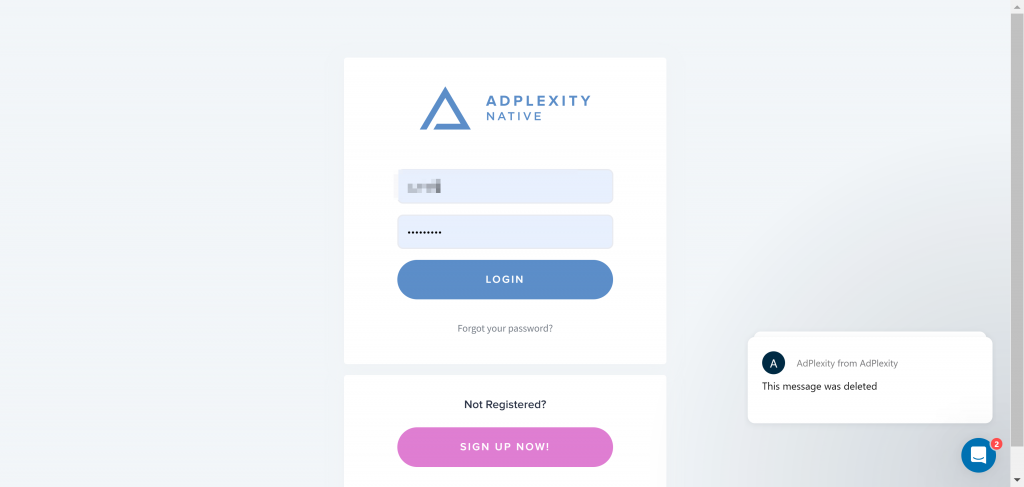
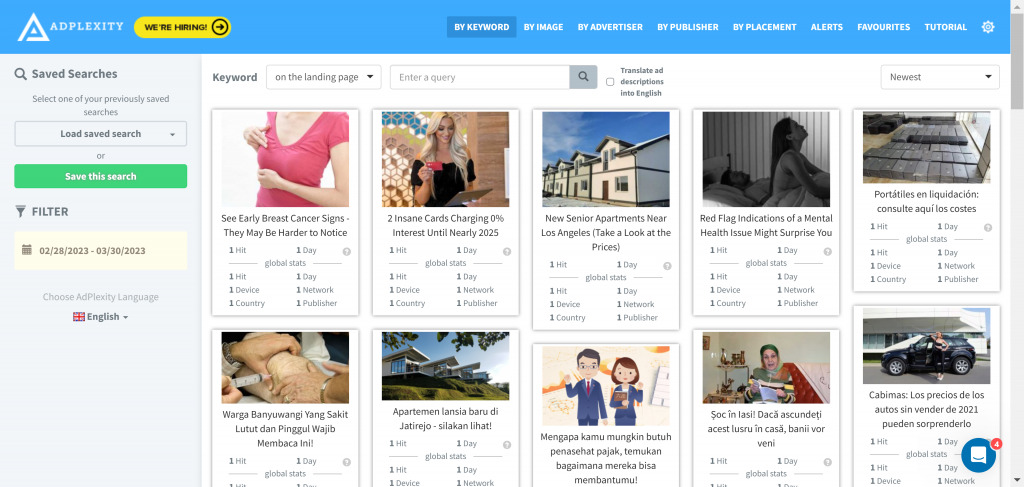
Adplexity - how to create an account
Adplexity Native - dashboard preview

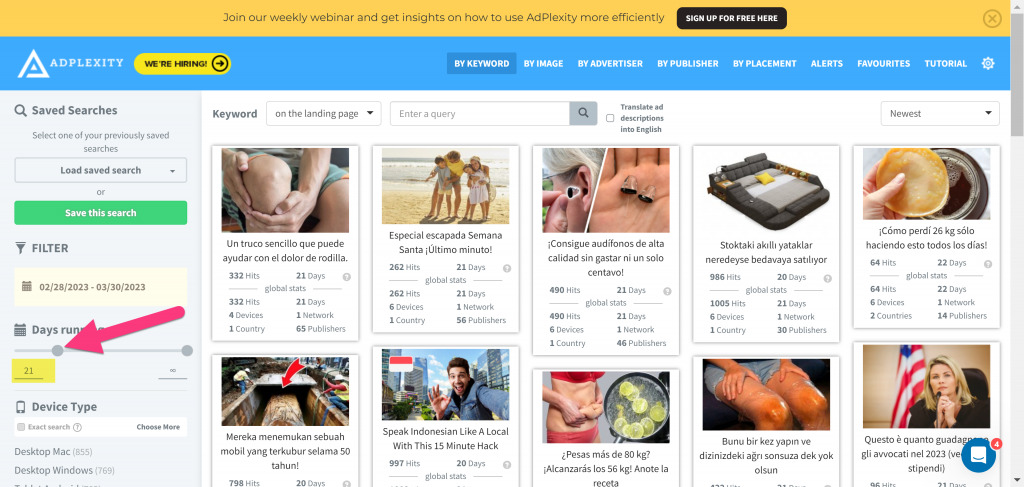
Step 2: Adjust the “Days running” setting

Go to the left hand panel menu and change the “days running” setting from 1 to 21 days.
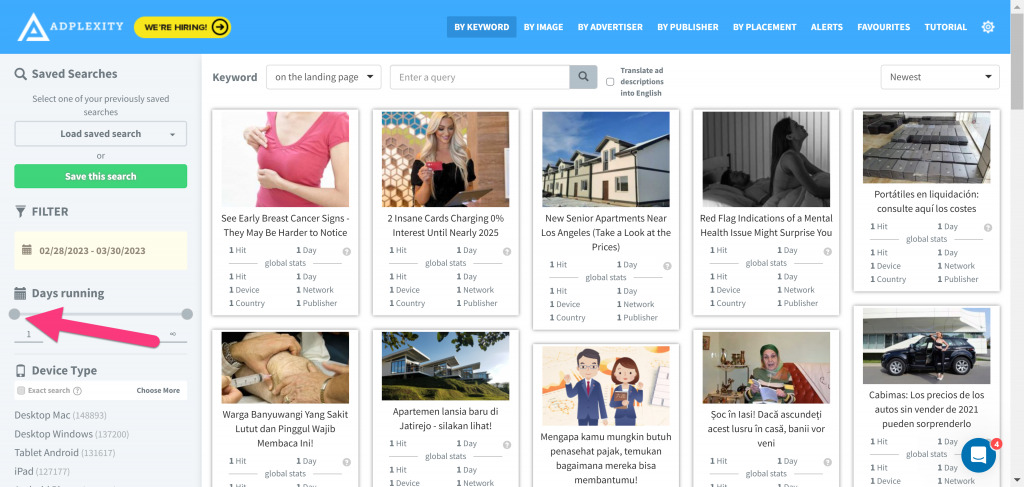
Adplexity Native - dashboard filters

Step 3: Choose a traffic source

From the left menu select a traffic source you are going to be running traffic on. 

In this example I will use “RevContent“.
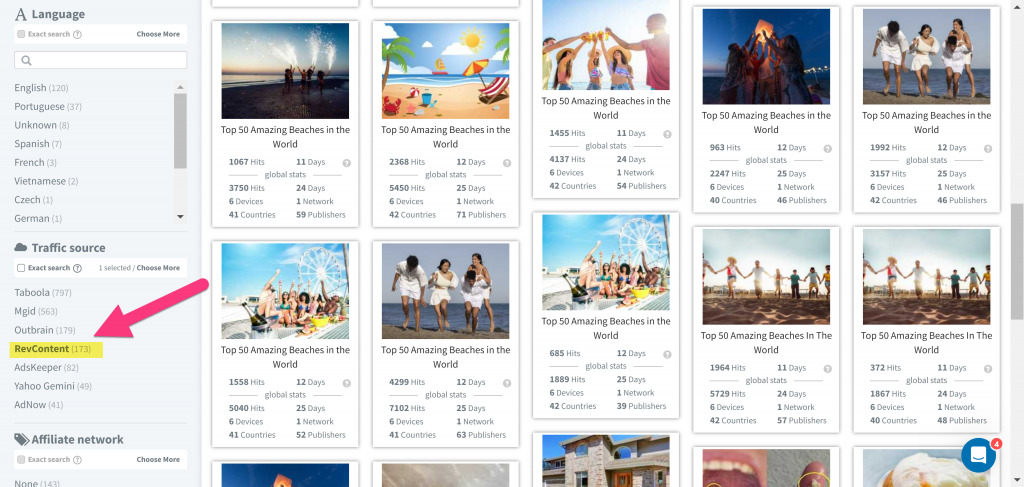
Adplexity Native- how to pick a traffic source

Step 4: Check for most traffic campaigns

Select the “received most traffic” filter in the far right side drop down menu.  

You want to see campaigns with a big amount of traffic.
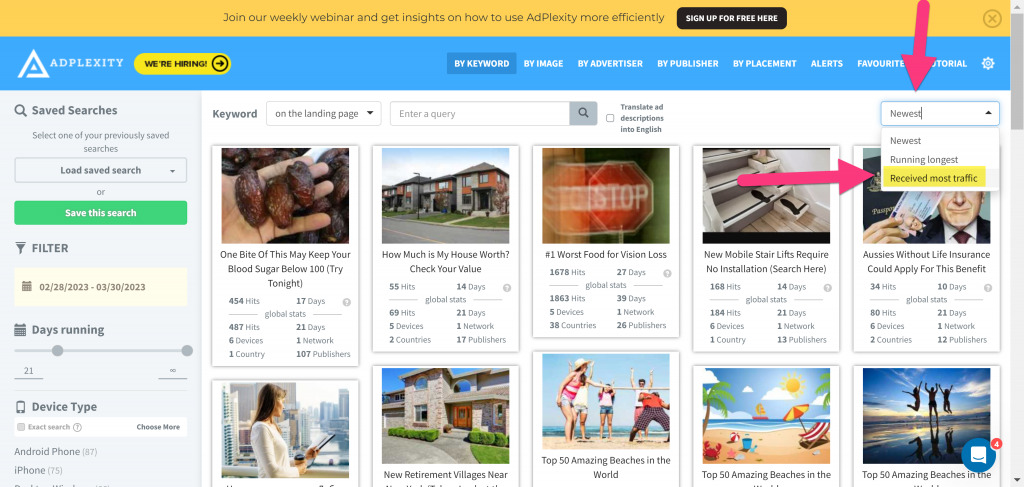
Adplexity Native ads - dashboard

Step 5: Check for a pattern

Look for a pattern of similar campaigns that appear to be successful. 

Adplexity Native- search for patterns

Step 6. Create your creatives

Copy the highest performing targeting options, and use the ad copy as inspiration to build your own creatives.
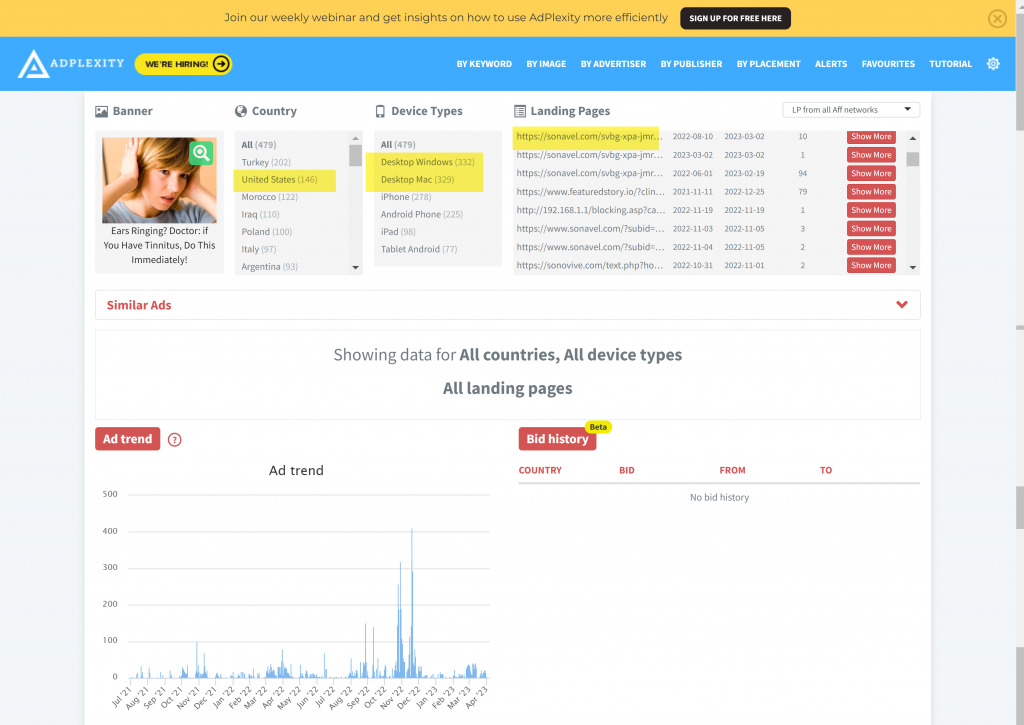
Adplexity Native- search for winning ads

Step 7: Create your campaign

Go to CPV Lab tracker, create your campaign and place your campaign target URL with your traffic source.

Plug the highest performing settings (data) from Adplexity into your advertising campaign (traffic source) to get good results.

This means you can create similar campaigns as the ones you see as winning in AdPlexity.

Here is a small video presenting in a more visual way a walkthrough of the Adplexity platform.

Thank you for checking out this tutorial!


Patrick Hill

Guest Author: Patrick Hill

Patrick is an affiliate marketer with 8+ years marketing experience. He was certified at Meclabs Research Institute in 2019 for value proposition development and a Photoshop designer. He has experience working as a technical support manager at a CPA network, and loves to make graphic design and programming easy for average people.


Want to get Adplexity with a 30% discount?
Check this offer special for CPV Lab users!
>>> Get Adplexity with 30% discount!
Previous Post

Which is Better – a Direct Affiliate Link vs Landing Page?

Next Post

Custom Tracking Domain in Affiliate Marketing

Postback URL Tracking
Postback URL Tracking: The Complete Guide for Affiliate Marketers
June 3rd, 2026 by Alex B.
Lovable.dev landing pages
AI Landing Pages for Affiliate Marketing: How to Build, Prompt and Track with Lovable.dev and CPV Lab
May 18th, 2026 by Julia D.
Mobplus affiliate network review
Mobplus review: mVAS and lead gen offers for affiliate marketers
April 21st, 2026 by Guest
igaming affiliate network
iGaming affiliate networks: which ones are worth running and how to track them
March 23rd, 2026 by ElizabetaK
Follow us on Social Media
Instagram
X
Telegram
Facebook
Youtube
Linkedin

Latest Posts

Mondiad Popunder ads tracking

Mondiad Popunder Ads: How to Run High-Volume Campaigns with CPV Lab Tracking

9:28 am 05 Jun 2026
Postback URL Tracking

Postback URL Tracking: The Complete Guide for Affiliate Marketers

11:12 am 03 Jun 2026
Affiliate Campaign Optimization

Luke King on Affiliate Campaign Optimization, and What It Really Takes to Start: Part 2

6:44 pm 22 May 2026
Lovable.dev landing pages

AI Landing Pages for Affiliate Marketing: How to Build, Prompt and Track with Lovable.dev and CPV Lab

2:14 pm 18 May 2026
Telegram Ads

How to Track Telegram Ads for Affiliate Marketing

10:12 am 14 May 2026
Luke King- Afflift

Luke King on Building affLIFT and Staying Competitive in Affiliate Marketing: Part 1

10:40 am 30 Apr 2026
click loss in google ads

Click Loss in Google Ads: What’s Normal and How to Fix It

8:13 am 22 Apr 2026
Mobplus affiliate network review

Mobplus review: mVAS and lead gen offers for affiliate marketers

6:33 am 21 Apr 2026
Meta ads experts insights

Mastering Meta Ads: A Practical Guide for Performance Marketers

10:07 pm 02 Apr 2026
igaming affiliate network

iGaming affiliate networks: which ones are worth running and how to track them

4:20 am 23 Mar 2026
©2026 CPV Tracker Blog