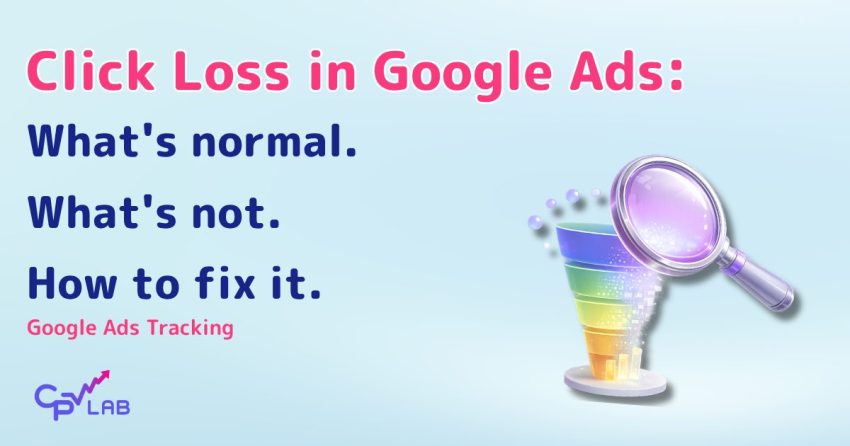
Clickloss in performance marketing: what it is, what is normal and what is not, how can you lower your click loss and why is it happening even with the most performant tracker. Particular analysis for Google Ads.
If you’ve ever compared your Google Ads click count to what your tracker shows… you’ve probably noticed they don’t match.
And if you’re like most media buyers, your first reaction was probably frustration.
“Where did those clicks go? Am I losing money? Is my tracker broken?”
We see these questions coming from time to time. The topic deserves a proper explanation because there’s a lot of confusion out there about what’s actually happening.
So let’s get into what’s actually happening – and what you can do about it.
The Hard Truth Nobody Wants to Hear
Here’s something that applies to every tracker on the market, not just CPV Lab or CPV One:
Zero click loss is not possible.
I know that’s not what you want to hear. But understanding why this is true will help you set realistic expectations and make better decisions about your campaigns.
I know that’s not what you want to hear. But once you understand why, you’ll stop blaming your tracker – and start focusing on what you can actually fix.
It all comes down to how tracking works – and specifically, how Google Ads forces you to do it.
Two Tracking Methods: Redirect vs. Direct Tracking
To understand click loss, you first need to understand the two fundamental ways trackers record visits.
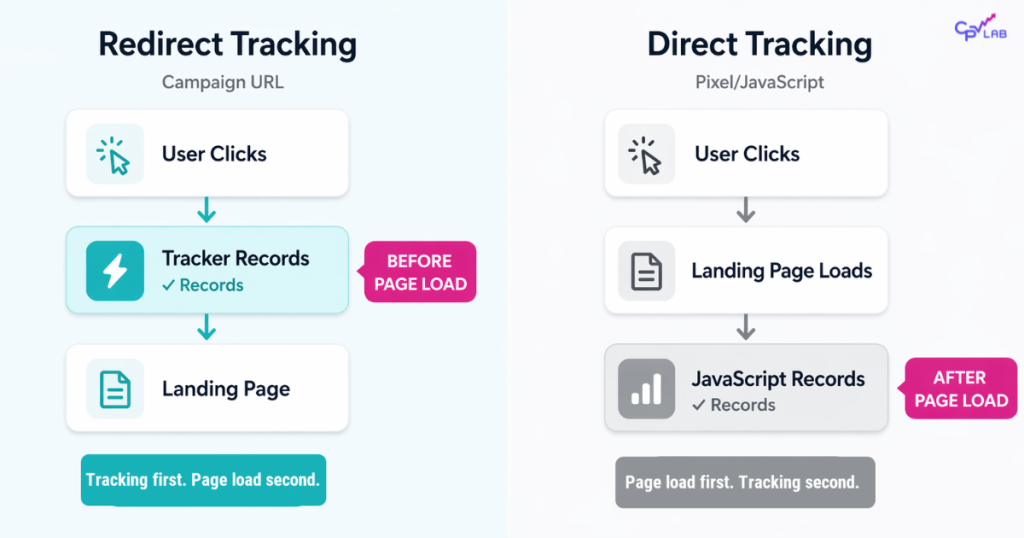
Redirect Tracking (Campaign URL Method)
With redirect tracking, when someone clicks your ad, they’re first sent to your tracker’s URL. The tracker logs the visit immediately, then redirects the visitor to your landing page.
The key point: the click is recorded BEFORE the landing page loads.
This is the faster method. The tracking signal fires almost instantly because it happens during the redirect, not after the page renders.
Direct Tracking (Pixel/JavaScript Method)
With direct tracking (also called pixel tracking or JS tracking), visitors go straight to your landing page. A JavaScript code snippet on your page fires and sends data back to your tracker.
The key point: the click is recorded AFTER the landing page loads.
This means the entire page needs to load, the JavaScript needs to execute, and the tracking request needs to complete – all before the visit gets counted.
Why Google Ads Has Higher Click Loss
Here’s the problem for Google Ads advertisers:
Google does not allow redirect links.
When you create a Google Ads campaign, your Final URL must be your actual landing page. You can’t use a tracker redirect URL. Google will reject your ads if the destination URL doesn’t match your landing page.
This means you’re forced to use Direct Tracking (the JavaScript/pixel method) for Google Ads campaigns.
And because Direct Tracking only fires after the page loads, you’re going to lose some clicks. It’s unavoidable.
Where Do Those “Lost” Clicks Actually Go?
When we talk about click loss, we’re talking about clicks that Google counts but your tracker doesn’t see. Here’s what’s actually happening to those visitors:
- They clicked by accident and hit back immediately
Someone accidentally clicks your ad, immediately regrets it, and hits the back button before your page even starts loading. Google counted the click (the user did click the ad!). Your page never loaded. Your tracker never saw them.
- They closed the tab before the page finished loading
Same concept. The visitor decided they weren’t interested and closed the tab. If your tracking script is at the bottom of the page (which it should be for performance), it never had a chance to fire.
- Their connection was too slow to load the page
This is huge, especially in certain GEOs. If someone’s on a weak mobile connection and your page takes 8 seconds to load, there’s a good chance they’ll leave before the tracking code executes.
- Your landing page was too heavy
If your landing page is bloated with scripts, large images, or built on a slow platform, load times increase. Every extra second is another opportunity for the visitor to leave before tracking fires.
- Mobile users on weak data bailed early
Mobile traffic in certain regions can have significant connectivity issues. Page loads that would take 2 seconds on desktop might take 10+ seconds on mobile data in some GEOs.
- Browser prefetching tricked Google into counting a click
Some browsers “prefetch” pages in the background to make them load faster when the user actually clicks. Google might count these as clicks, but if the user never actually visits the page, your tracker won’t see them.
What’s “Normal” Click Loss?
We see data across thousands of campaigns. Here’s what normal actually looks like:
| GEO Type | Expected Click Loss | What It Means |
|---|---|---|
| Strong GEOs (US, UK, Western Europe) | 10-15% | Normal and acceptable |
| Slower/mobile-heavy GEOs | 20%+ | Connectivity reality, not a tracker issue |
| Any GEO | 30%+ | Needs investigation — likely setup or page speed problem |
💡 Note: The 10-15% range is specific to Google Ads campaigns using JavaScript direct tracking. For push, pop, and native traffic sources that use redirect tracking, normal click loss is well under 4%.
The Test: Redirect vs. Pixel Tracking
There’s an interesting test on Afflift that quantified the difference between these two methods.
The test ran identical traffic (same zone, same GEO) through both tracking methods using pop traffic:
| Tracking Method | Traffic Source Reported | Tracker Recorded | Click Loss |
|---|---|---|---|
| Redirect | 10,865 visits | 10,626 visits | 2.2% |
| Pixel | 10,364 visits | 9,993 visits | 3.6% |
The pixel method showed approximately 1.4% higher click loss than the redirect method.
Now, 1.4% is not much. But it is important to get it clarified.
And here’s the insight from an affLIFT user that puts this in perspective:
“In GEOs with good connectivity where click loss isn’t so bad, just use redirect links. In regions with poor connectivity, lots of mobile users, and the tracker servers being a bit further away, consider CDN-based pages and JS just to get the time-to-glass down as a trade off. If the user leaves before the JS tracks… meh – you were not going to convert that person anyway, so the click loss % increase is not a real problem.”
affLIFT user
That last point is worth sitting with. If someone bounces before your page even loads, they were never going to convert anyway. The “lost” click wasn’t really lost revenue – it was someone who was never a real prospect.
So before you panic about your click loss numbers, ask yourself: would that visitor have converted anyway?
Tracking Methods Comparison
| Feature | Redirect Tracking | Direct (Pixel/JS) Tracking |
|---|---|---|
| How it works | Click recorded before the page loads | Click recorded after the page loads, via JavaScript |
| Click loss | Lower (~2%) | Higher (~4%+) |
| Google Ads compatible | ❌ No | ✅ Yes (required) |
How to Minimize Click Loss in Google Ads Campaigns
Since you can’t avoid JavaScript tracking with Google Ads, here’s what you CAN do to minimize click loss:
1. Make Your Landing Page Lighter
Every kilobyte matters. Compress your images. Minimize JavaScript. Remove anything that isn’t essential. The faster your page loads, the more likely the tracking code fires before visitors leave.
2. Use CDN Hosting
A Content Delivery Network serves your page from servers geographically closer to your visitors. This reduces load time, especially for international traffic.
3. Optimize Script Placement
Make sure your tracking code is placed correctly. It should fire as soon as practically possible while still capturing the data you need.
4. Consider Your GEO
If you’re running traffic to GEOs with poor connectivity, factor higher click loss into your expectations and calculations. Don’t panic when you see 20% loss in a Tier 3 country with mobile-heavy traffic – that might be normal for that region.
5. Check Your Page Speed
Use Google’s PageSpeed Insights or similar tools to identify what’s slowing down your landing page. Sometimes a single unoptimized image or a slow-loading script can add seconds to your load time.
6. Monitor Your Setup
Make sure your Final URL, tracking template, and all parameters are configured correctly in Google Ads. A misconfiguration can cause unnecessary click loss on top of the unavoidable baseline.
When to Actually Worry
Some click loss is normal. But certain patterns should trigger investigation:
- Click loss significantly higher than 20% in strong GEOs
- Sudden increases in click loss on campaigns that were previously stable
- Click loss that doesn’t correlate with what you’re seeing on other traffic sources
If you’re experiencing unusual click loss, gather this information before troubleshooting:
- The campaign URL you’re using in Google
- Screenshots of your Google Ads setup (Final URL, tracking template)
- Your landing page URL and where the tracking script is placed
- Any Google Ads logs or reports you can reference
Having this ready will save you a lot of back and forth – and helps us spot the issue much faster.
The Bigger Picture
Here’s what I want you to take away from this:
Click loss isn’t a bug. It’s a reality of how web tracking works, especially when you’re forced to use JavaScript-based tracking (which Google Ads, Meta Ads or Microsoft Ads require).
Every tracker deals with this. The way pages load means some visitors will always leave before tracking fires. The question isn’t “how do I get zero click loss” – it’s “how do I minimize it and account for it in my calculations.”
Focus on what you can control:
- Page speed
- Hosting quality
- Clean setup and configuration
- Realistic expectations based on your GEO and traffic type
And remember: those ‘lost’ clicks weren’t lost opportunities. They were people who were never going to convert anyway.
Setting Up Google Ads Tracking in CPV Lab
If you want to set up Google Ads tracking correctly in CPV Lab (self-hosted) or CPV One (cloud hosted) performance marketing tracker, we have a step by step guide that covers everything – Final URL configuration, tracking templates, conversion tracking, and all the parameters you need.
👉Google Ads Campaign Setup Guide
Still seeing unusual click loss in your campaigns?
Tell us what you’re seeing. We’ll help you figure out if it’s a real problem or just normal behavior for your setup.
Contact us to talk about tracking setup!


Author: Elizabeta Kuzevska
Elizabeta is a certified Digital marketer with 15+ years of experience and she creates educational content for CPV Lab and CPV One, helping affiliate marketers and media buyers navigate the ever-changing performance marketing landscape. She is also Co-Founder of Revenue Experts AI, building AI Revenue Intelligence Systems powered by 100+ specialized agents. Her methodology integrates multi-agent architectures with human expertise to transform how B2B companies generate revenue.