
Skip to content
Menu
CPV Lab Blog
  • Affiliate Marketing
    • Learn Affiliate Marketing
    • Tracking
      • Postback URL
      • Custom tracking domains
    • Landing page optimization
    • Campaign Optimization
    • Case Study
    • Traffic Sources
    • Affiliate Networks
  • News & Updates
    • Champions of Performance Marketing
    • Digital Marketing
    • Tracking and Attribution
    • Hosting
    • Events
    • Guest Posts
  • Ads
    • Google Ads
    • TikTok Ads
    • Facebook Ads
    • Native Ads
    • ChatGPT Ads
    • Tutorials
    • CPA Affiliate Marketing
  • CPV Lab
    • Self-hosted tracker
  • CPV One
    • Cloud-hosted tracker
  • MV Lab
    • Multivariate testing tool
CPV Lab Blog
Easy tracking WordPress Pages with CPV Lab

Easy WordPress tracking with CPV Lab and default HTML editor

Posted on August 13, 2023February 11, 2024 by Patrick H

This super easy tutorial that is going to show you how to add your CPV Lab tracking code to your landing page by using WordPress’s default editor. 

This could be a great way to get around restrictions that can occur when using a campaign URL in Google, Yahoo, or Microsoft Ads where redirects are not allowed.

Step 1: Login to WordPress

First, log into your WordPress dashboard. 

WordPress Landing page tracking

Then, hover over the “Pages” tab in the left hand column, and click the “Add New” tab.

WordPress Landing page tracking

Step 2: Create your WordPress page

Add the content you would like to display on your WordPress page, or post.

WordPress Landing page tracking

Step 3: Add the custom HTML block

Once your content is added we’re going to search for a small black box with a white “+” plus symbol. Click this box.

WordPress Landing page custom HTML editor

Then, click the black “Browse all” button below the icons.

WordPress Landing page custom HTML editor

Type the words “Custom HTML” into the search box in the left hand corner.

WordPress Landing page - custom HTML editor
WordPress Landing page - how to use custom HTML editor

Click the “Custom HTML” box icon, and a new area will appear to place in the HTML tracking code from your CPV Lab campaign.

WordPress Landing page - how to use custom HTML editor

Step 4:  Create your campaign in CPV Lab

Go to an existing CPV Lab campaign and click the edit icon, or create a new CPV Lab campaign. 

CPV Lab ad tracker - campaign

Scroll down to the “Landing Pages” section in CPV Lab and click on the “Get Direct Traffic Code” icon, and a new popup menu will appear.

CPV Lab ad tracker campaigns

Click the copy icon for the Direct Traffic code.

CPV Lab campaign for WordPress tracking

Head back over to WordPress, paste this code into the “Custom HTML” box in WordPress. 

WordPress tracking with CPV Lab

Now, grab the step 2 code in the “Links & Pixels” area by clicking the copy icon.

CPV Lab tracking code for WordPress page

Head back to WordPress, and paste the step 2 code into the custom “HTML box”.

Note: Both codes will be in the same Custom HTML box.

CPV Lab tracking code for WordPress landing page

Step 5: Just click publish and our CPV Lab code is up and ready to go 🙂

CPV Lab tracking code for WordPress landing page

Another method to add the tracking code to your WordPress pages is by using a plugin.

Check here an article about this method:

Easy Tracking for WordPress – Tutorial

Both methods work great, so you should pick the one that is better for you.

The Direct tracking method is used mostly when your traffic source doesn’t accept redirects, as it happens with Facebook, Google Ads or Microsoft Ads.

Please comment below and let me know which tutorial you’d like to see next! 


Patrick Hill

Guest Author: Patrick Hill

Patrick is an affiliate marketer with 8+ years marketing experience. He was certified at Meclabs Research Institute in 2019 for value proposition development and a Photoshop designer. He has experience working as a technical support manager at a CPA network, and loves to make graphic design and programming easy for average people.


Want to stay up-to-date on the fast-paced marketing industry? CPV Lab affiliate marketing tracker offers a complete toolkit for tracking and analyzing all your affiliate campaigns from one single place. And all starts with a Free 14 days Trial!
Cloud or Self-hosted ad tracker? your choice!

Previous Post

Custom Tracking Domain in Affiliate Marketing

Next Post

VPN Shark For Your Affiliate Campaigns

Top Affiliate marketing ad tracking platforms
Best Affiliate Ad Tracking Platforms for Media Buyers and Brands
November 9th, 2026 by Julia D.
What is a Postback URL?
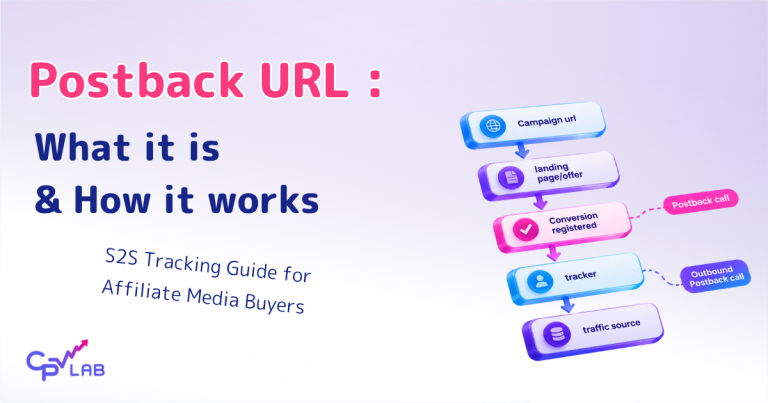
What Is a Postback URL and How Does It Work? (S2S Tracking Guide for Media Buy)
October 26th, 2026 by Julia D.
Affiliate Grand Slam 2026
Affiliate Grand Slam Rome 2026 – What to Expect and Why We Are Going
October 12th, 2026 by CPV Team
EpicAds review
EpicAds.Net Review: Is This Push and Pop Network Worth Testing?
October 2nd, 2026 by CPV Team
Follow us on Social Media
Instagram
X
Telegram
Facebook
Youtube
Linkedin

Latest Posts

Mikhail Zhukov, Adsterra, on iGaming campaign optimization on the Champions of Performance Marketing podcast

Mikhail Zhukov (Adsterra) on iGaming Campaign Optimization: Budgets, Tracking and Scaling – Part 2

11:12 am 12 Nov 2026
AGS Rome 2026

AGS Rome 2026: Game, Set, and Match – Affiliate Marketing Just Got a New Home

10:43 pm 10 Nov 2026
Top Affiliate marketing ad tracking platforms

Best Affiliate Ad Tracking Platforms for Media Buyers and Brands

12:15 pm 09 Nov 2026
Mikhail Zhukov, Adsterra - igaming affiliate marketing

Mikhail Zhukov (Adsterra) on iGaming Affiliate Marketing: Offers, GEOs and How to Start – Part 1

11:05 am 31 Oct 2026
What is a Postback URL?

What Is a Postback URL and How Does It Work? (S2S Tracking Guide for Media Buy)

2:07 pm 26 Oct 2026
Kyle Dana on how vendors can use affiliates

Kyle Dana (Digistore24) on Metrics, Payouts and Why Direct Response Brands Are Struggling – Part 2

10:28 am 15 Oct 2026
Affiliate Grand Slam 2026

Affiliate Grand Slam Rome 2026 – What to Expect and Why We Are Going

9:30 am 12 Oct 2026
EpicAds review

EpicAds.Net Review: Is This Push and Pop Network Worth Testing?

8:32 am 02 Oct 2026
Kyle Dana on Affiliate Success | Performance Marketing Podcast

Kyle Dana (Digistore24) on What Separates Successful Affiliates From the Rest – Part 1

9:30 am 29 Sep 2026
ChatGPT Ads first impressions

ChatGPT Ads: First Impressions After Real Campaigns – Is It Worth Testing?

10:15 am 24 Sep 2026
©2026 CPV Lab Blog