
CPV Version 14.0 Updates
The following updates are available in CPV One (opens new window) and CPV Lab (opens new window).
Quick Summary
- New Columns in Drill-Down Report
- New Metric: Time on Page
- Dedicated CAPI Integrations Page
- Quora Ads Cost Synchronization
- Quora Ads CAPI - Pass Conversions
- ChatGPT Ads Cost Synchronization
- ChatGPT Ads CAPI - Pass Conversions
- Extra Signals in CAPI Integrations
- Filter Conversions Passed to Ad Networks
- Custom Domains - Campaign Assignment View
- New Google Conversion Integration via Data Manager
- Reconnect an Expired API Integration
- Other Updates and Fixes
New Columns in Drill-Down Report
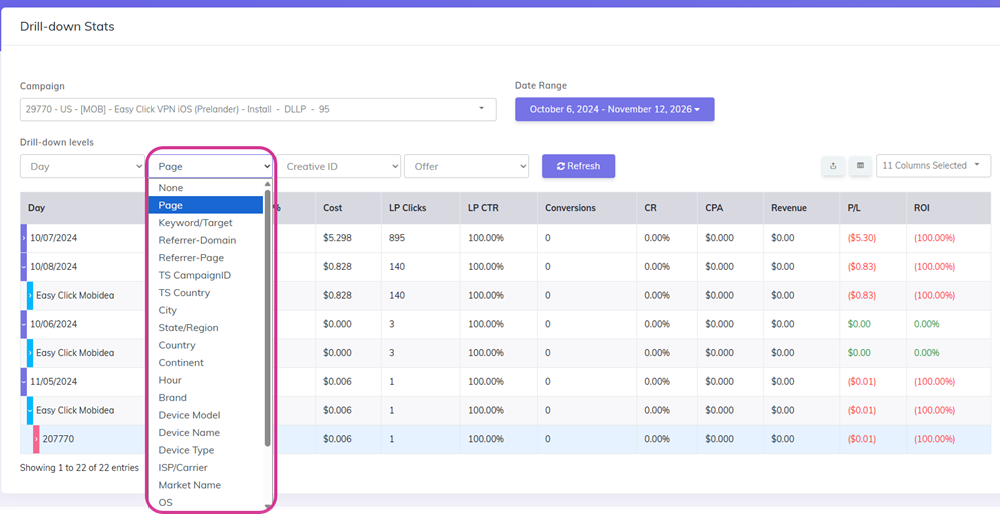
The Drill-Down report now has 8 new columns you can add to your reports. This gives you more ways to slice your campaign data and understand your audience better.
The new columns are:
- Device Type - shows whether the visitor was on mobile, tablet, or desktop
- Device Details - the specific device model (for example: iPhone 15, Samsung Galaxy S24)
- Brand - the device manufacturer (Apple, Samsung, Google, etc.)
- Browser - which browser the visitor used (Chrome, Safari, Firefox, etc.)
- Operating System - the visitor's OS (iOS, Android, Windows, macOS, etc.)
- ISP/Carrier - the internet provider or mobile carrier of the visitor
- Referrer - the URL the visitor came from before landing on your page
- Language - the browser language setting of the visitor
How does it help:
- Understand exactly who is converting and from which devices and environments.
- Spot patterns - for example, if a specific mobile carrier converts better, or a certain OS has lower conversion rates.
- Use the data to optimize your targeting and bids at the ad network level.
Read the full guide: Drill-Down Stats
New Metric: Time on Page
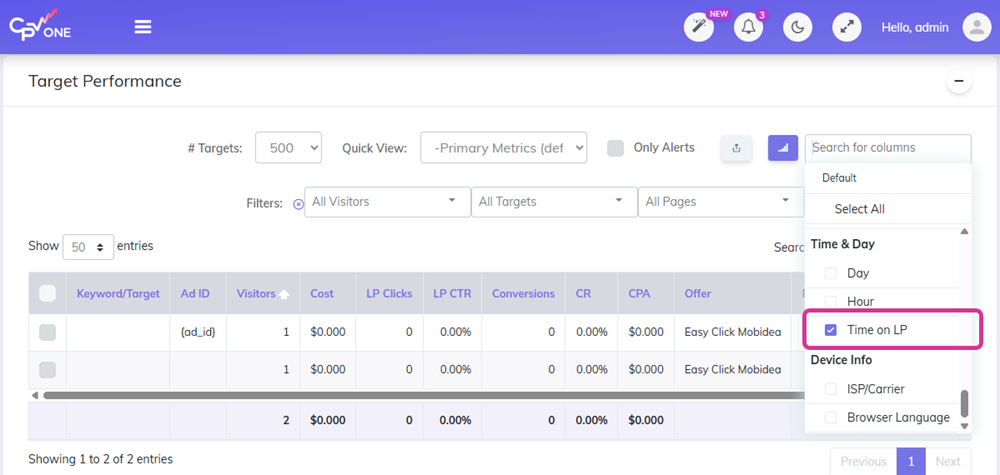
CPV Lab and CPV One now track how long each visitor spends on your landing page.
The new Time on Page metric shows the exact time a visitor had your landing page active in their browser. If they switch to a different tab or application, that time is not counted - only active time is recorded.
You can enable this column from the Columns Dropdown control in your reports.
How does it help:
- See which landing pages keep visitors engaged longer.
- Low time on page can signal a mismatch between the ad and the landing page.
- Use it alongside conversion rate to understand landing page quality - a page with high time on page and low conversions may need a stronger call to action.
Dedicated CAPI Integrations Page
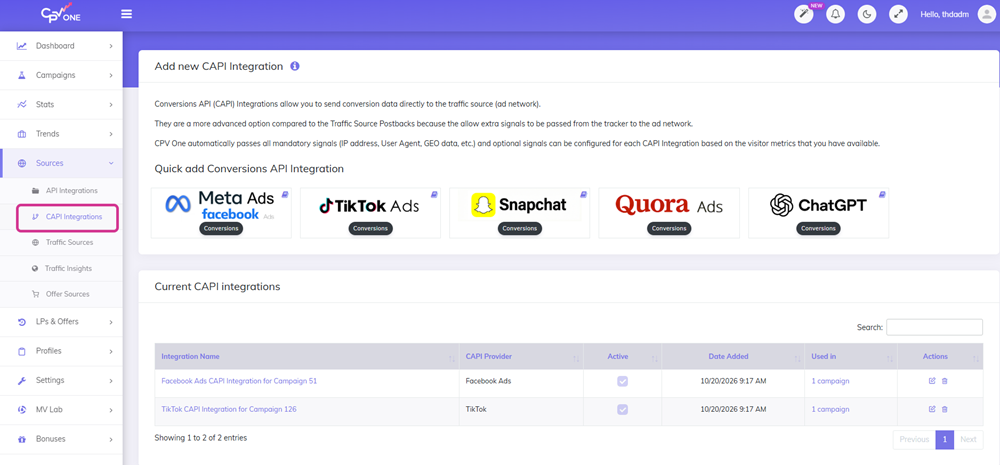
CAPI Integrations now have their own dedicated page in CPV Lab and CPV One.
Before this update, you had to define your CAPI integration inside each campaign setup. Now you define it once in Sources ➡️ CAPI Integrations and assign it to as many campaigns as you need.
⚙️ Important: All existing CAPI integrations that were defined in campaign setup were automatically migrated to the new page - no changes needed in your existing campaigns.
How does it help:
- Define a CAPI integration once and reuse it across multiple campaigns.
- Easier to manage and update integrations in one place.
- Cleaner campaign setup - just select the integration from a dropdown instead of filling in credentials each time.
Read the full guide: CAPI Integrations Overview
Quora Ads Cost Synchronization
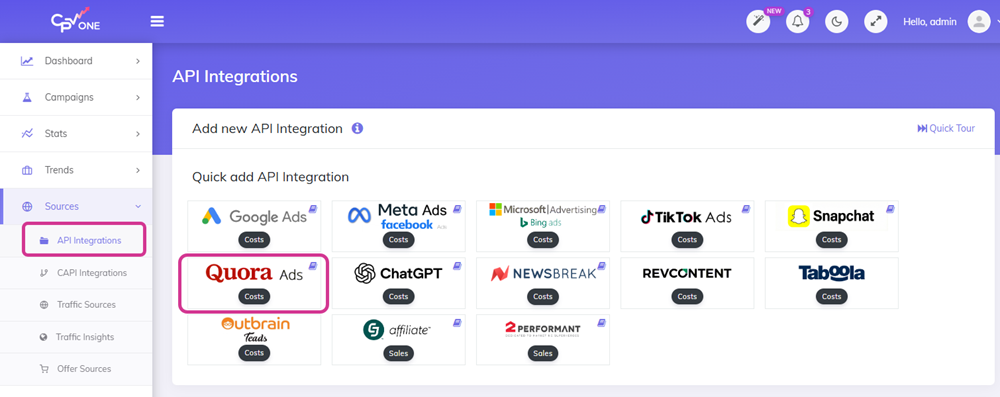
CPV Lab and CPV One now connect directly to Quora Ads via API to pull your ad spend automatically.
No more entering Quora costs manually. Your Quora campaign data stays accurate inside your tracker alongside all your other traffic sources.
How does it help:
- See your real Quora ad costs inside CPV Lab reports.
- Compare Quora spend vs. conversions in the same dashboard as your other networks.
- Get accurate ROI data for your Quora campaigns without manual work.
Read the full setup guide: Quora Ads Cost Synchronization (coming soon)
Quora Ads CAPI - Pass Conversions
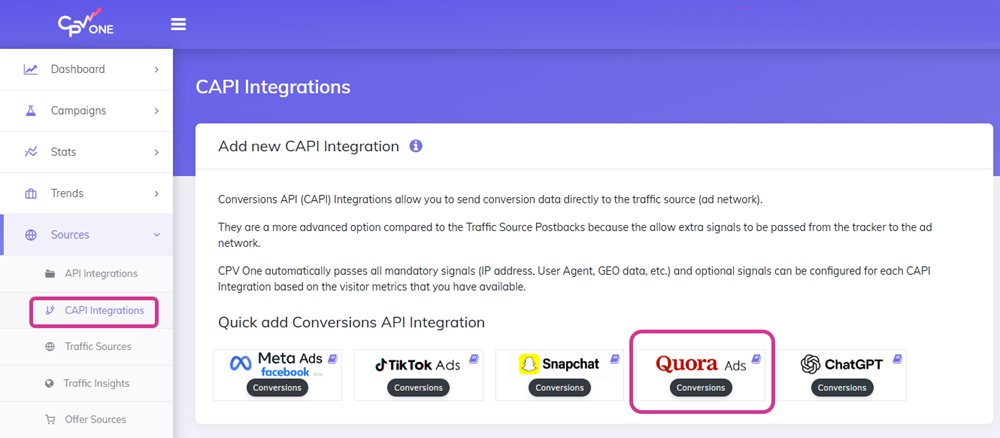
You can now send conversion data from CPV Lab | CPV One directly to Quora Ads via their Conversions API.
When a conversion is recorded in CPV Lab or CPV One, the tracker fires a CAPI event to Quora automatically - server to server, no browser pixel required.
How does it help:
- Give Quora's algorithm clean, reliable conversion signals to optimize your campaigns.
- Server-side tracking is not affected by ad blockers or browser privacy restrictions.
- Quora uses conversion data to improve audience targeting and find more users like your best converters.
Read the full setup guide: Quora Ads CAPI Integration
ChatGPT Ads Cost Synchronization
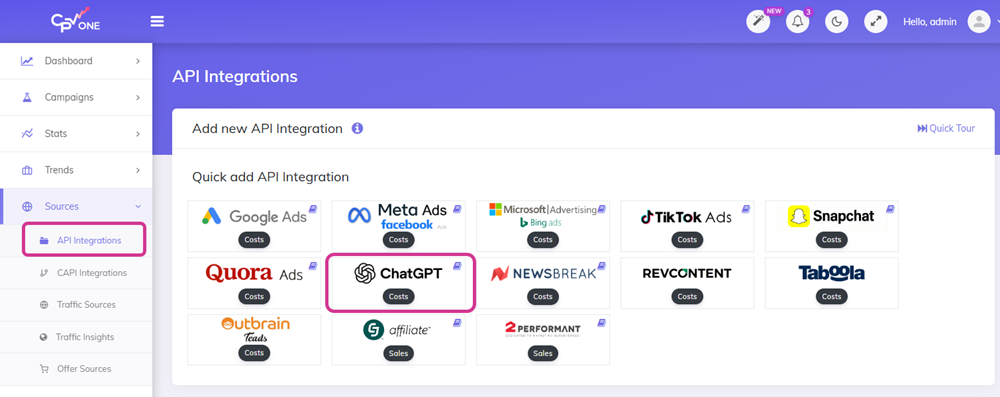
CPV Lab and CPV One now connect to ChatGPT Ads via API to pull your ad spend automatically into your reports.
Your ChatGPT campaign costs are now tracked and synchronized the same way as your other major traffic sources.
How does it help:
- See your ChatGPT ad spend alongside conversions in one place.
- No more manual cost entry for ChatGPT campaigns.
- Accurate ROI reporting across all your traffic sources.
Read the full setup guide: ChatGPT Ads Cost Synchronization
ChatGPT Ads CAPI - Pass Conversions
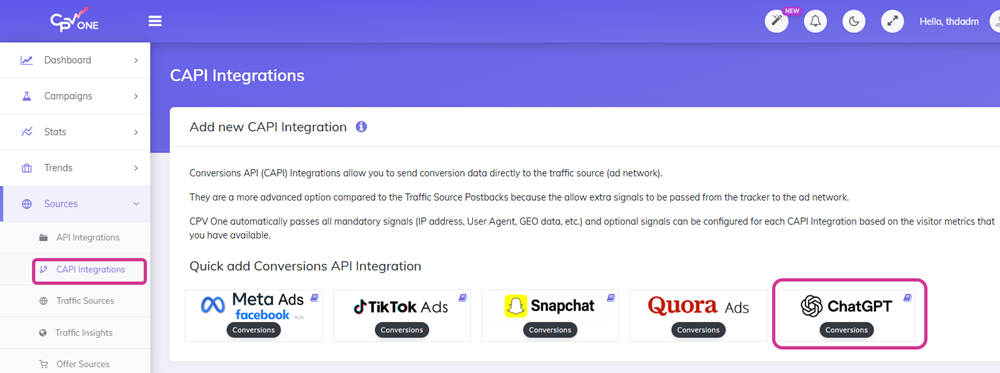
You can now pass conversion data from CPV Lab to ChatGPT Ads via their Conversions API.
CPV Lab fires the conversion event to ChatGPT automatically when a conversion is recorded - giving the platform the signals it needs to optimize your campaigns.
How does it help:
- Help ChatGPT Ads optimize your campaigns based on real conversion data.
- Server-side conversion tracking that works regardless of browser restrictions.
- Get better audience quality as ChatGPT learns which users convert for your offers.
Read the full setup guide: ChatGPT Ads CAPI Integration
Extra Signals in CAPI Integrations
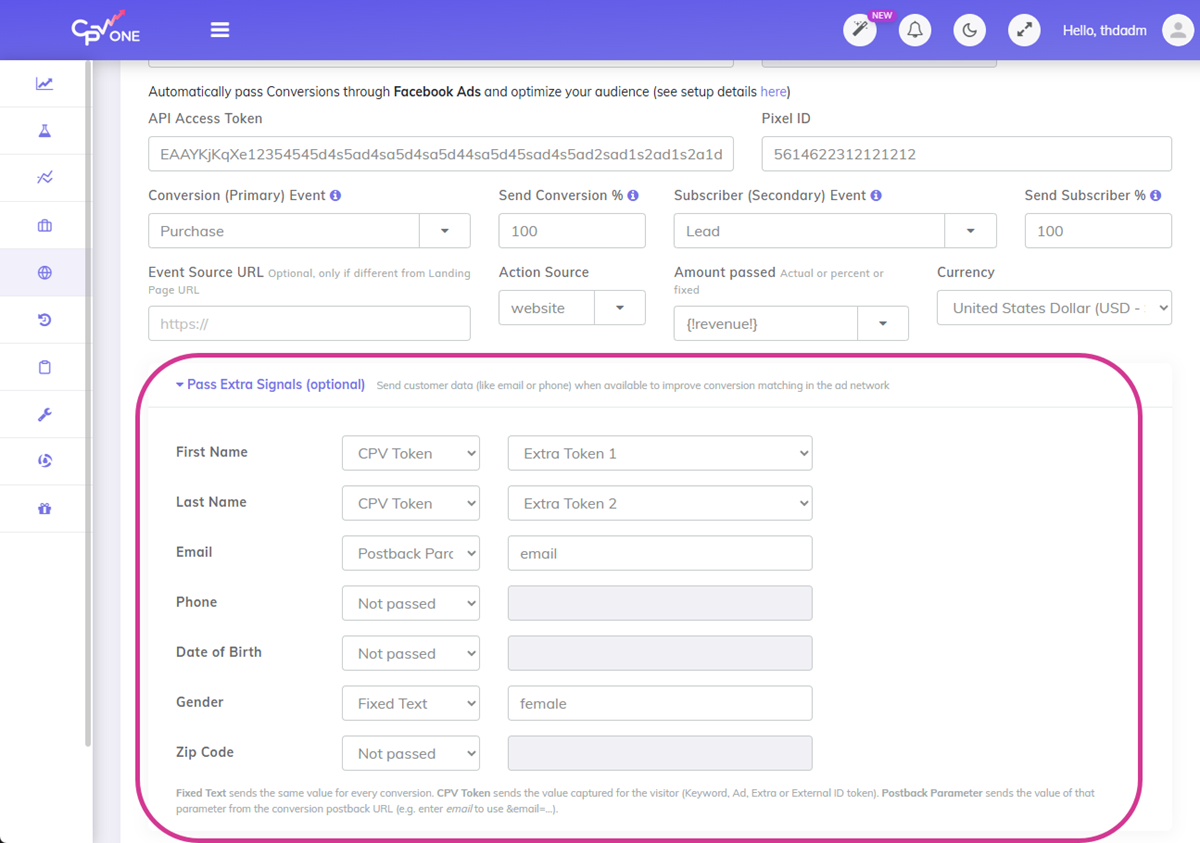
You can now configure extra signals - like email, phone, and name - directly from the CAPI Integrations page.
Extra signals help ad networks match conversions to real users more accurately. The more data the platform has, the better it can optimize your audiences.
The signals can come from:
- Extra Tokens - data captured from your landing page (for example, an opt-in form)
- Postback Parameters - data passed back from your affiliate network in the conversion postback URL
Extra signals are supported in Meta, TikTok, Snapchat, Quora, and ChatGPT CAPI integrations.
How does it help:
- Better conversion matching means better audience optimization.
- Configure everything from one place instead of inside each campaign.
- Works with both affiliate marketing funnels and ecommerce checkouts where customer data is collected.
Filter Conversions Passed to Ad Networks
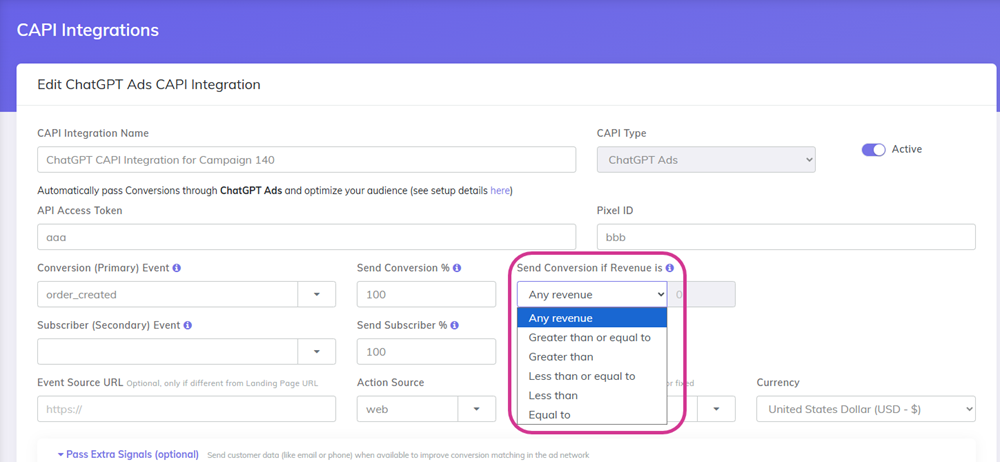
You can now filter which conversions get passed to your ad network via CAPI.
From the CAPI Integrations page, set a condition - pass only conversions that are greater than, less than, or equal to a specific revenue value.
How does it help:
- Send only high-value conversions to the ad network so it optimizes for your best customers.
- Useful for ecommerce campaigns where you want the algorithm focused on purchases above a certain order value.
- Affiliate media buyers can use this to pass only fully confirmed conversions, excluding low-payout events.
Custom Domains - Campaign Assignment View
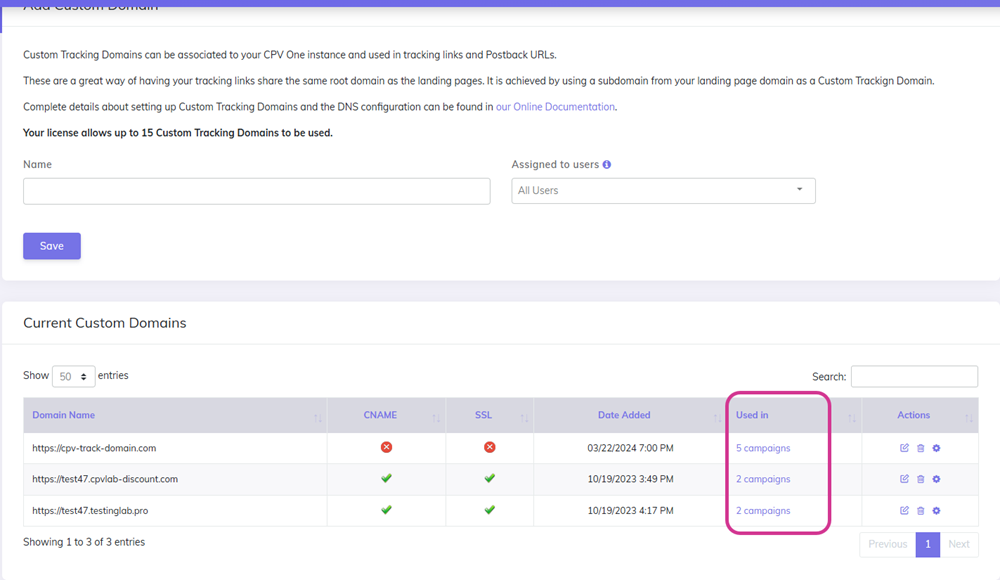
The Custom Domains page now shows which campaigns each domain is being used in.
You can also see this information directly on the Campaigns Dashboard - making it easy to spot which campaigns are using which tracking domains at a glance.
How does it help:
- Quickly see the impact before making changes to a custom domain.
- Useful for agencies and teams managing multiple clients or domains.
- No more guessing which campaigns will be affected when you update or retire a domain.
New Google Conversion Integration via Data Manager
Video Tutorial for sending Conversions to Google Ads - New Data Manager Method (opens new window)
CPV Lab and CPV One now support Google's new Data Manager method for passing conversion data to Google Ads.
Some Google Ads accounts no longer allow the old conversion import method and require Data Manager. This new integration supports those accounts.
The Data Manager method also supports passing gbraid and wbraid values alongside gclid - which means better conversion matching for iOS traffic and users who have restricted ad personalization.
How does it help:
- Works with Google Ads accounts that have moved to the Data Manager requirement.
- Passes
gbraidandwbraidin addition togclidfor more complete conversion attribution. - More accurate conversion data for Google campaigns, especially on iOS devices.
Read the full setup guide: Google Data Manager Integration (coming soon)
Reconnect an Expired API Integration
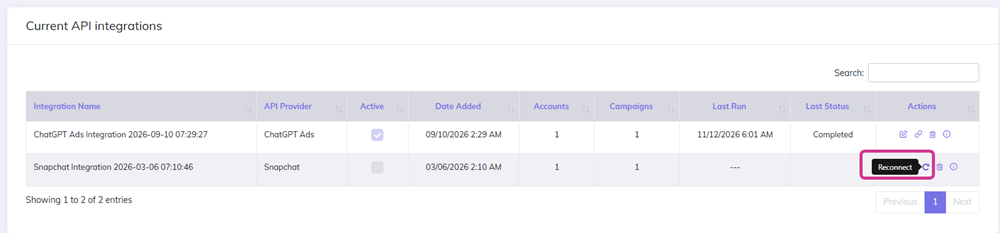
When an API integration loses its connection - because a token expired or access was revoked - you can now reconnect it without starting from scratch.
Previously, you had to delete the integration and recreate it, then manually match your campaigns again. Now a single Reconnect option refreshes the connection and keeps all your campaign matching intact.
How does it help:
- Save time when a connection drops - no need to redo campaign matching.
- Less risk of errors when re-entering credentials.
- Useful for all API integrations: Google Ads, Facebook Ads, Microsoft Ads, Quora Ads, ChatGPT Ads, and more.
Other Updates and Fixes
These smaller improvements are also part of version 14.0:
- Facebook and Google cost sync updates - improved reliability and accuracy of cost data pulled from Facebook Ads and Google Ads.
- Improvement in AI Page Validation - better detection and feedback when validating landing pages with AI.
- CPV Lab upgrade page with one click - the upgrade page for CPV Lab was changed. After the upgrade to Version 14.0, all future upgrades will be done with one click directly from the tracker dashboard. No more need to upload files or to run scripts in the database.
Last Updated: 2026