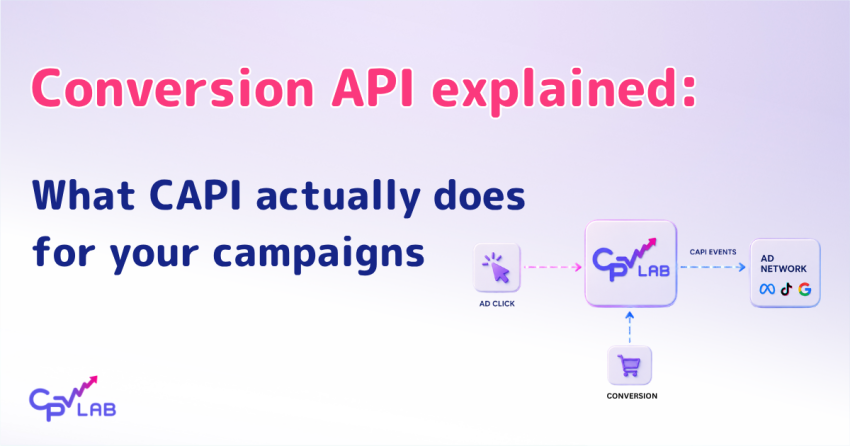
If you have run any kind of paid traffic in the last few years, you have probably heard of the conversion API (CAPI) for affiliate or performance marketing. Maybe a media buyer told you to set it up. Maybe your Facebook account rep brought it up after iOS 14. Maybe your tracker’s documentation has a CAPI page, and you have not read it yet.
This guide is for affiliate and performance marketers who have heard of the conversion API (CAPI) for performance marketing but are not entirely sure what it is, why it exists, or whether they actually need it.
The short answer: if you rely on Meta, TikTok, Google Ads, Snapchat, Quora or Microsoft Ads optimization, you probably need a server-side conversion setup.
This guide covers what CAPI does for your campaigns, which platforms CPV Lab and CPV One can send conversion data to, what your workflow looks like with Conversion API (CAPI) in place, and what to look for to confirm it is working.
By the end, you should have a working understanding of the conversion API (CAPI) for performance marketing and a clear checklist for setting it up before your next campaign launches.
So, your Meta or TikTok campaign starts strong. Conversions come in for the first few days. The algorithm seems to be learning. Then the numbers in Ads Manager start drifting away from what your tracker is showing, and your cost per conversion climbs even though the offer is still converting on your end.
You are not imagining it. Browser-side tracking is losing data every day. Ad blockers, iOS App Tracking Transparency, Safari ITP, and stricter browser privacy settings are all chipping away at what the Meta Pixel, TikTok Pixel, and Google Tag can capture from your visitors. Conversions that did happen never get reported back to the ad platform, so the platform’s algorithm has less to optimize against, and your campaigns get worse over time.
Conversion API, often called CAPI, is the fix performance marketers have been moving to since iOS 14.5, and the broader privacy shift in browsers started to bite. Instead of relying on a pixel firing in a browser, your tracker sends the conversion data server-to-server to the ad platform – and the platform sees the conversions that the browser pixel missed.
“Conversion API (CAPI) gives the ad platform the conversion data the browser pixel could not get back – which is exactly the data the optimization algorithm needs to make your campaigns work harder.”
What is the conversion API (CAPI) for affiliate marketing?
The conversion API (CAPI) for performance marketing is a server-to-server method for sending conversion events from your tracking software directly to an ad platform’s server.
Instead of relying on a browser pixel to fire on a thank-you page, your tracker calls the platform’s API with the conversion data after the conversion is recorded.
Facebook coined the name CAPI; TikTok, chatGPT and Snapchat uses the same term; Google Ads and Microsoft Ads have equivalent server-side conversion mechanisms with different names.
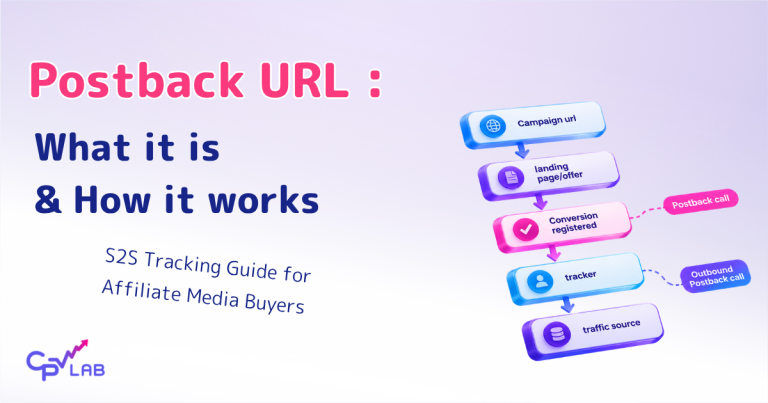
The mechanism is similar with the one you might already use for affiliate network postbacks: an HTTP request from one server to another carrying conversion details. The difference is the destination method and destination
With S2S postbacks, the affiliate network calls your tracker.
With the conversion API (CAPI) for performance marketing, your tracker calls the ad platform’s API.
The data flow is server-to-server in both directions, which means it does not depend on the visitor’s browser, cookies, or device identifiers to complete. Marketers who have made the switch describe the impact in real terms in this CPV One Academy walkthrough on S2S tracking.
CPV Lab and CPV One handle conversion API affiliate marketing setups for all major platforms.
The exact mechanism differs per platform, but the principle is consistent: capture the conversion in the tracker first, then forward enriched conversion data to the ad platform via its server-side API endpoint .
The tracker features page lists the CAPI section with the full feature breakdown across Facebook, TikTok, Google Ads, Snapchat, ChatGPT and Microsoft Ads.
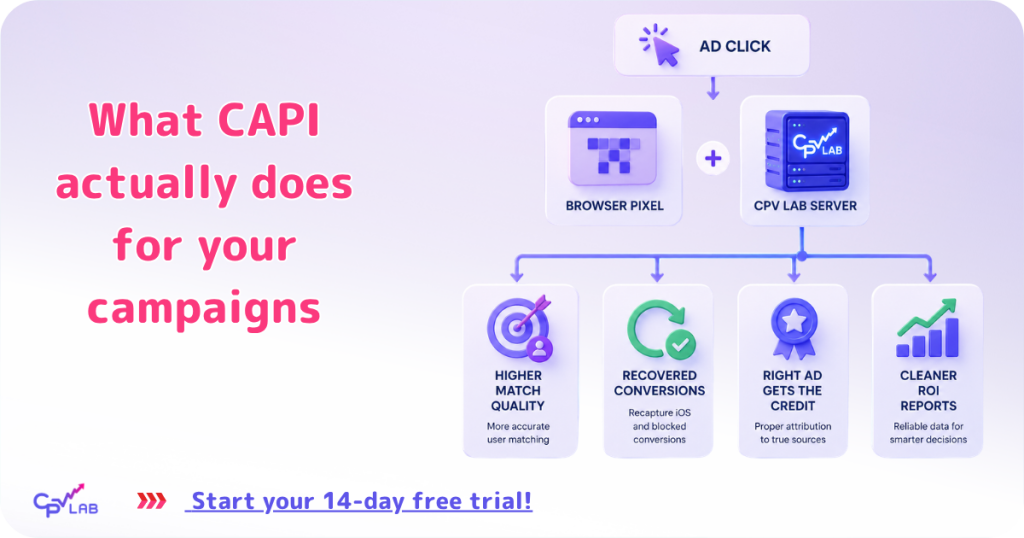
What CAPI actually does for your campaigns
Conversion API (CAPI) is not a different way to track. It is a different way to tell the ad platform that a conversion happened, so the ad platform’s algorithm can do its job.
Here is what shifts in your campaigns when CAPI is running properly alongside your existing pixel:
- Higher match quality scores.
- Meta scores how confidently it can match each event back to a real user, called Event Match Quality (EMQ).
- Browser-only setups often mismatch signals.
- Pixel plus CAPI, together with click IDs and matching data captured server-side, can improve Event Match Quality because Meta receives more data to connect the event back to the right user.
- TikTok and Google have their own match quality metrics that follow the same logic.
- A higher score gives the ad platform’s delivery algorithm more confidence to spend your budget on the right people.
- Conversions that browser pixels could not capture.
- iOS users who declined App Tracking Transparency.
- Users with ad blockers or strict browser settings.
- Sessions where the browser closed before the pixel finished firing.
- Conversion API (CAPI) catches conversions that would have been lost.
- More reliable attribution back to the right ad.
- When your tracker captures the click ID at the moment the visitor lands (fbclid for Meta, ttclid for TikTok, gclid for Google, msclkid for Microsoft) and passes that click ID with the server-side conversion event, the ad platform can attribute the conversion to the exact ad that drove it, within each platform’s attribution window.
- Cleaner data in your ROI reports.
- Because conversions are captured server-to-server through your tracker, the numbers in CPV Lab and the numbers reported by your ad platform tend to align more closely.
- The gap between Ads Manager attribution and your tracker’s recorded conversions narrows.
How CAPI works with your existing Pixel (not instead of it)
CAPI is not a replacement for the Meta Pixel, TikTok Pixel, or Google Tag. The two work together.
The pixel still fires in the visitor’s browser when the conversion happens.
CAPI fires in parallel from your tracker, server-to-server.
The CPV Lab two-direction tracking overview explains how conversion data flows both INTO your tracker (from your affiliate network or your own page) and OUT from your tracker to the ad platforms.
The pixel and CAPI report the same conversion.
For platforms that support Pixel plus CAPI deduplication, the browser event and the server event use a shared event ID so the platform can recognize that both events refer to the same conversion.
The platform gets two chances to receive the event. If the pixel was blocked or did not fire, the Conversion API (CAPI) fills the gap. When both fire and the platform recognize them as duplicates, it counts the conversion as one. Exact dedup behavior varies by platform (some platforms enrich the recorded event with data from the duplicate; see each platform’s CAPI documentation for specifics).
“The Pixel and CAPI are not competing. They are two paths to the same destination, and you want both running.”
What CPV Lab and CPV One do for you
When you set up a campaign in CPV Lab or CPV One and enable a CAPI integration, three things happen as part of the campaign flow:
- Your tracker captures the click ID when the visitor lands – fbclid, ttclid, gclid, or msclkid – and stores it against the click in the database.
- When the conversion fires (via your affiliate network’s postback or your own pixel on a thank-you page, as covered in the CPV Lab receiving conversions doc), CPV Lab records the conversion against the original click.
- CPV Lab sends the conversion to the ad platform server-side via Postback or CAPI, including the click ID and matching identifiers, so the platform can tie it back to the right ad and the right user.
You do not need to write code. You do not need to build a custom server endpoint.
The integration lives inside CPV Lab and CPV One, with the specific setup location depending on the platform (campaign setup page for Meta and TikTok, Configuration Editor for Microsoft Ads, see the integration docs for each platform for current setup specifics).
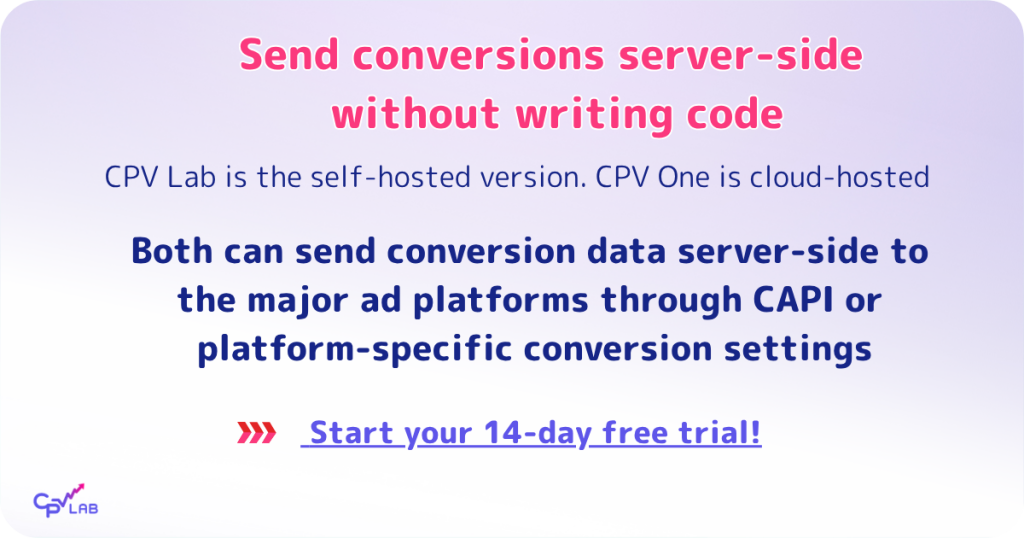
Which ad platforms, CPV Lab and CPV One, can send conversion data to
CPV Lab and CPV One can send conversion data server-side to the major ad platforms performance marketers use through CAPI, conversion tracking, or platform-specific conversion settings (like postback URL).
The exact setup depends on the platform. Setup is configured once per campaign (or once per account, depending on the platform). Here is the lineup:
| Ad Platform | Where are you setting it up in the CPV lab? | What it sends server-side |
|---|---|---|
| Meta (Facebook & Instagram) | Campaign setup inside CPV Lab. See the Facebook CAPI integration doc for the exact section | Purchases, leads, sign-ups, and custom events if captured (email, phone, name,etc) with matching data so Meta can attribute them back to the right ad |
| TikTok | Campaign setup inside CPV Lab. See the TikTok CAPI integration doc for the exact section | Complete payments, sign-ups, and custom events if captured (email, phone) alongside the TikTok Pixel for full conversion coverage |
| Google Ads | Set up inside the CPV Lab. See integration docs for current setup specifics | Conversion events tied back to the original Google click ID, used by Google Ads Smart Bidding and audience signals |
| Microsoft (Bing) Ads | Configuration Editor in Settings | Conversion events tied back to the Microsoft click ID, used by Microsoft Advertising for campaign optimization |
| Snapchat | CAPI server-side Snapchat conversion support is live for selected users as rollout expands | Conversion events are sent server-side to Snapchat for ad delivery and reporting, depending on account availability |
| ChatGPT Ads | CAPI server side chatGPT ads – currently in Beta | Conversion information is sent back to ChatGPT Ads for targeting optimization. |
| Other ad platforms (PropellerAds, Newsbreak, RichAds, Oddbytes,Taboola, etc) | On the campaign setup page inside CPV Lab | CPV One | Conversion or subscribers information via S2S postback URL. Some ad networks accept 2 events. |
For the platform-specific setup steps, see the integration docs: Facebook CAPI integration, TikTok CAPI integration, Google Ads conversions integration, Microsoft (Bing) Ads conversions integration, and Snapchat API integration.
What you see when CAPI is working
Once you have CAPI running on a campaign, here is how to confirm it is doing its job:
Check 1: Event Match Quality in Meta Events Manager
Open Events Manager in your Meta Business account and look at the Event Match Quality score for your conversion events.
If your setup is sending CAPI events with click IDs and matching data, you should look for Event Match Quality to improve over time.
The exact score depends on the identifiers available, user consent, and Meta’s ability to match the event.
Check 2: Postback Log in CPV Lab or CPV One
Open the Postback Log page in your CPV Lab or CPV One dashboard.
Filter by your campaign. Successful CAPI calls show in the log with the platform identifier – for example, “type”:”fbapi” for Meta, “type”:”tiktokapi” for TikTok.
If you see these entries firing on your conversions, your tracker is sending the data.
Check 3: Conversions appearing in Ads Manager
Within a few minutes of a conversion (Meta and TikTok reporting typically show conversions within 15 minutes; Google Ads and Microsoft Ads timing depends on each platform’s processing), the conversion appears in the ad platform’s reporting attributed to the right ad.
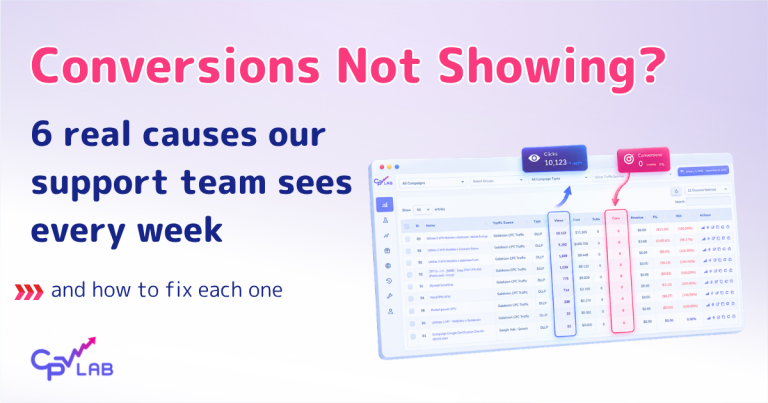
If it does not appear, the issue is usually one of three things:
- the click ID is not being captured at landing,
- the matching data is too thin,
- the CAPI integration is misconfigured for the platform.
“If your Postback Log shows the CAPI call firing, your Event Match Quality is improving, and Ads Manager is showing the conversion – CAPI is doing its job.”
What changes about your day-to-day campaigns
Practical impact of running CAPI on a campaign for a few weeks:
- Your CPA in Ads Manager and your CPA in CPV Lab get closer together. The gap caused by missed browser conversions starts to close.
- Automated bidding works with a more accurate signal. Whether you use Meta’s cost cap or lowest cost bidding, Google Ads Smart Bidding, or TikTok’s cost cap, the bidding algorithm has more events and better matching data to optimize against.
- You can scale campaigns further before they hit the data ceiling. Pixel-only setups often plateau when the data signal gets too noisy at higher spend levels. CAPI gives the algorithm cleaner signal at the same spend, which helps push that ceiling higher.
- The iOS-vs-Android conversion rate gap can narrow. Part of the gap reflects real user behavior, but a meaningful share has historically been tracking loss. CAPI recovers some of what browser-only tracking missed, which means iOS conversion rates in your reports tend to look closer to Android than they did before.
- Your ROI reports are easier to trust, which means fewer hours debugging numbers and more hours optimizing the campaigns themselves.
Frequently asked questions
Do I still need the Pixel if I have CAPI?
Yes. The Pixel still captures rich browser-side context (button clicks, page views, scroll depth, custom events) that CAPI does not. Run them together with deduplication via a shared event ID. Neither one replaces the other – they each fill in what the other misses.
Will CAPI fix iOS 14.5 ATT tracking loss completely?
Not completely, no. When iOS users decline ATT, apps lose access to the device IDFA, which is one of the strongest matching identifiers Meta and other platforms use.
Conversion API (CAPI) can still send hashed email, phone, and other identifiers from the server side, which recovers a significant share of the conversions that would have been invisible to a pixel-only setup.
But for users who declined ATT, some matching limitation is baked in.
The right framing is: CAPI can recover most part of the signals lost by browser-only tracking, but it cannot fully restore all signal lost from ATT limits, consent choices, ad blockers, or weak matching data.
How long does CAPI setup take in CPV Lab or CPV One?
It depends on the platform and on what is already in place.
For Meta and TikTok, you generate an Access Token in the platform’s Events Manager and add it to the campaign setup inside CPV Lab.
For Microsoft (Bing) Ads, you configure a conversion key in the Configuration Editor and connect it to the Microsoft conversion endpoint.
For Google Ads, follow the current steps in the Google Ads conversions integration doc. The actual time depends on whether you already have access to the platform’s Events Manager, whether your campaign and postback are configured, and whether your team handles consent management separately. The integration docs walk through each platform step by step.
Does Conversion API (CAPI) work for offline conversions too?
Yes, offline or later-stage conversions can be sent back to some ad platforms, depending on the platform and setup.
If a lead from your campaign later becomes a sale through a phone call, in-store visit, or sales rep follow-up, that conversion can be passed back into your tracking flow and then sent to the ad platform where supported. The key requirement is that the conversion can still be matched back to the original click or user signal.
How is CAPI different from regular postback URL tracking?
Postback URL is a server to server method as well. And it is used by most ad networks like PropellerAds, Adsterra, Taboola, Newsbreak, Mondiad, etc. Also, postback urls are how your affiliate network tells CPV Lab a conversion happened.
CAPI is a s2s method used by some ad networks to receive information about conversions. It is how CPV Lab tells the ad platform (Meta, TikTok, Google, Microsoft, Snapchat) the conversion happened.
Both postback and CAPI are server-to-server, both bypass the browser, but they serve different ends of the tracking chain. The CPV Lab outbound conversion flow page covers how all the outbound options fit together.

Author: Elizabeta Kuzevska
Elizabeta is a certified Digital marketer with 15+ years of experience and she creates educational content for CPV Lab and CPV One, helping affiliate marketers and media buyers navigate the ever-changing performance marketing landscape. She is also Co-Founder of Revenue Experts AI, building AI Revenue Intelligence Systems powered by 100+ specialized agents. Her methodology integrates multi-agent architectures with human expertise to transform how B2B companies generate revenue.